
In this post, we will look at how to update Lookup Fields in a Dynamics 365 Power Apps record using the Xrm.WebApi.
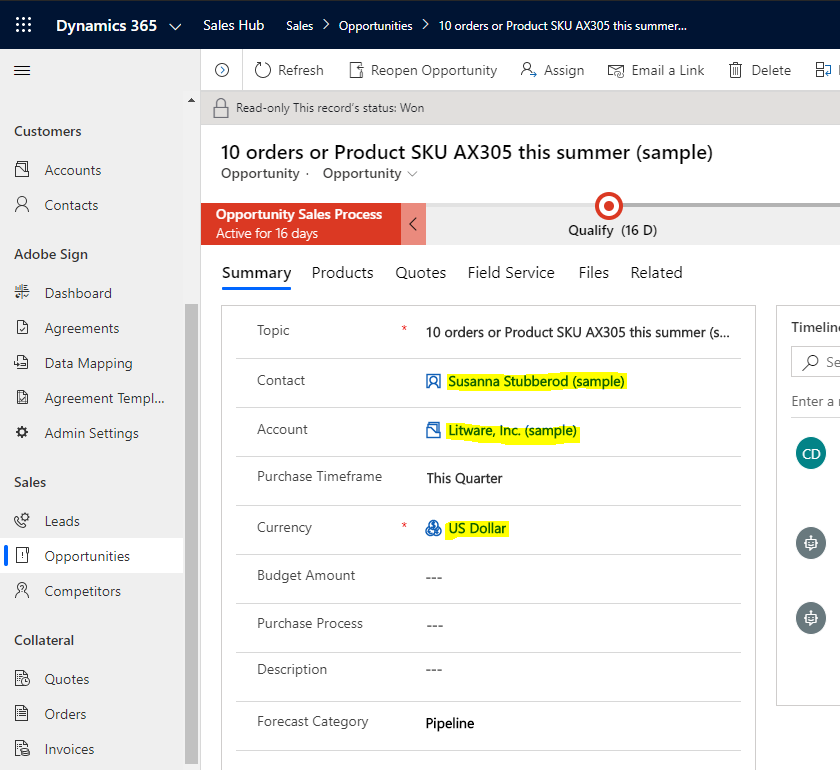
Let’s say we have an Opportunity record. This record has 3 lookup fields:
- Contact
- Account
- Currency
For simplicity, let’s hardcode the Ids of the new records we will be associating to our Opportunity:
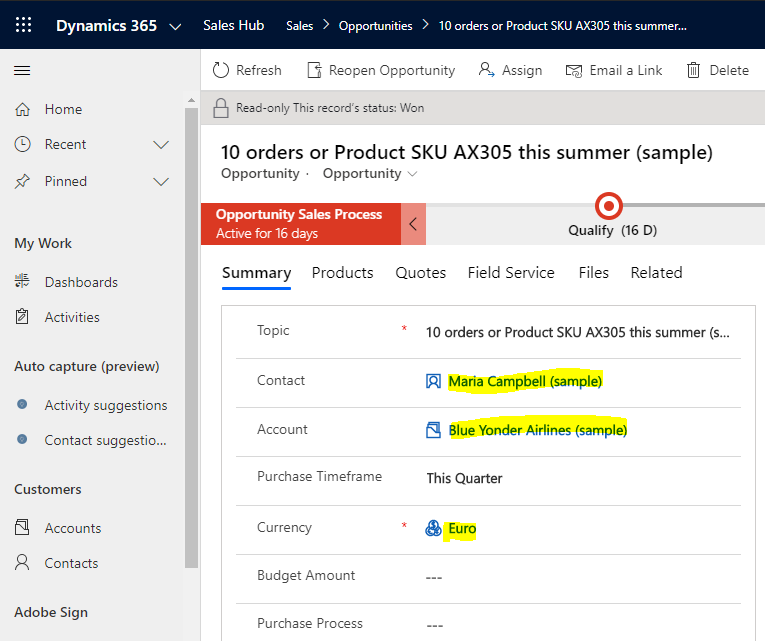
- Our new Contact called Maria Campbell is c0993617-c85d-ea11-a811-000d3a579ca1
- Our new Account called Blue Yonder Airlines is 5c993617-c85d-ea11-a811-000d3a579ca1
- Our new Currency Euro is 1C2A5F41-0D5C-EA11-A811-000D3A5694CA
And the Opportunity we’re updating is 8a9a3617-c85d-ea11-a811-000d3a579ca1.
Note on the Opportunity, our fields have the following names:
- Contact = parentcontactid
- Account = parentaccountid
- Currency = transactioncurrencyid
These fields are of entity types Contact, Account and Transaction Currency, respectively.
Now the code. We will use the notation fieldname@data.bind: “/entitypluralname(Id)” in our object to update our record:var ContactId = “c0993617-c85d-ea11-a811-000d3a579ca1”; var AccountId = “5c993617-c85d-ea11-a811-000d3a579ca1”; var CurrencyId = “1C2A5F41-0D5C-EA11-A811-000D3A5694CA”; var OpportunityId = “8a9a3617-c85d-ea11-a811-000d3a579ca1”; var UpdateObject = { “parentcontactid@odata.bind”: “/contacts(” + ContactId + “)”, “parentaccountid@odata.bind”: “/accounts(” + AccountId + “)”, “transactioncurrencyid@odata.bind”: “/transactioncurrencies(” + CurrencyId + “)” }; Xrm.WebApi.updateRecord(“opportunity”, OpportunityId, UpdateObject).then( function success(result) { console.log(“success”); }, function error(result) { console.log(result); });
When we run this, we get a Success:

And on refreshing our record we see the lookup fields have been updated.
UPDATING LOOKUP FIELDS IN JAVASCRIPT USING XRM.WEBAPI