
There may be cases where you need to set a lookup field on a Dynamics 365 / Power Apps form, where you want to default the value to another lookup on the form using JavaScript to default the field value.
For example, on the Account form, we have the owner of the account (field OwnerId), and we have a custom field called My System User Field (new_mysystemuserfield) which is a system user lookup which looks like below:
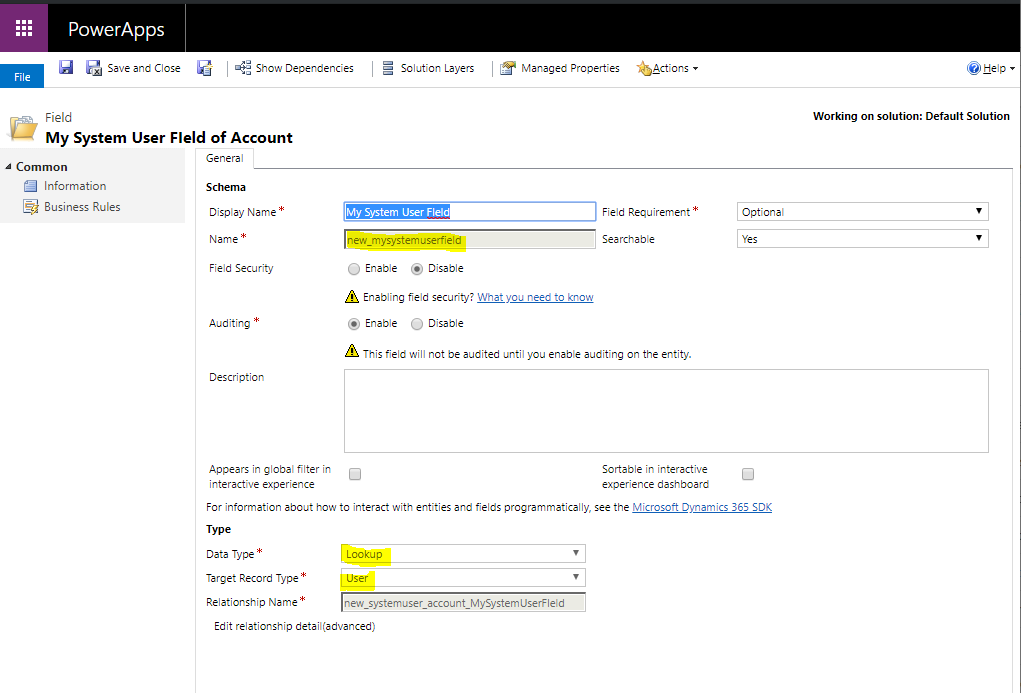
Let’s say we want to set the System User field to the Owner Id field on load of the form, and perhaps add some additional business logic if we wanted to (your use case may be more complex):

Create a new web resource on the account form on load with the following code:
function OnLoad(context)
{
console.log("On Load");
// First get the OwnerId lookup
var OwnerId = FormContext.getAttribute("ownerid").getValue();
var Id = OwnerId[0].id; var Name = OwnerId[0].name;
var EntityType = OwnerId[0].entityType;

// Create new lookup array
var lookup = []; lookup[0] = {};
lookup[0].id = Id;
lookup[0].entityType = EntityType;
lookup[0].name = Name;

// Get and Set New Lookup
var MySystemUserField = FormContext.getAttribute("new_mysystemuserfield"); MySystemUserField.setValue(lookup);

 }
Now when opening the form, this field is defaulted from our Owner field:

HOW TO SET A LOOKUP FIELD TO ANOTHER LOOKUP FIELD ON A DYNAMICS 365 POWER APPS FORM USING JAVASCRIPT