
USE THE FLIP SWITCH CONTROL TO SHOW AND HIDE SECTIONS ON A FORM
In Dynamics 365 / PowerApps, we have a flip switch control, which is a nice way to represent a two-option […]
USE THE FLIP SWITCH CONTROL TO SHOW AND HIDE SECTIONS ON A FORM Read More »
#Power Platform
In Dynamics 365 / PowerApps, we have a flip switch control, which is a nice way to represent a two-option […]
USE THE FLIP SWITCH CONTROL TO SHOW AND HIDE SECTIONS ON A FORM Read More »
This one’s pretty useful when you’re building out URLs in your JavaScript and you are using the AppId of your
HOW TO GET THE APPID OF A DYNAMIC 365 POWER APP USING JAVASCRIPT Read More »

Introduction to Pipelines for Power Platform | Deploy Solutions to Environments | Tutorial Power Platform Pipelines aims to simplify
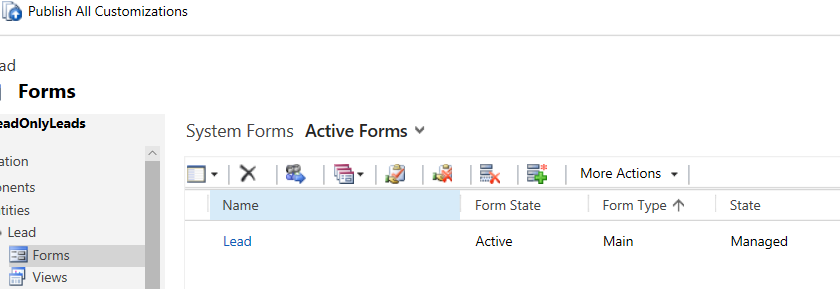
DYNAMICS CRM READ ONLY FORM AND DISABLE FIELDS WITH JAVASCRIPT One way to lock down a form is through JavaScript. Let’s
DYNAMICS CRM READ ONLY FORM AND DISABLE FIELDS WITH JAVASCRIPT Read More »
In Dynamics 365, there is a common need to identify which fields have been modified on the form during an
CHECKING DIRTY FIELDS IN DYNAMICS 365 USING JAVASCRIPT Read More »
Dynamic Mandatory Fields in Power Apps Portals When building forms in Power Apps Portals (now called Power Pages), you often
How to Make Fields Mandatory or Optional Dynamically in Power Apps Portals Read More »
Power Apps and Power Automate are both components of the Microsoft Power Platform, which is a suite of low-code development
What is the relationship between Power Apps and Power Automate? Read More »

How to use Autonumber field in Model Driven Apps Autonumber fields are a type of field that automatically generates a
How to use Autonumber field in Model Driven Apps Read More »
On click of the Next/Submit button, a function named entityFormClientValidate is executed. You can extend this method to add custom
Powerapps Portal Field Mandatory Read More »
$( document ).ready(function() { $.ajax({ type: ‘GET’, url: “/_api/cr207_kspsalesorders?$filter=(statecode eq 0)&$top=50”, dataType: ‘json’, success: function (res) { results = res.value; console.log(results); }}); }); get record
get record from CDS powerapps portal Read More »