
Based on user requirements, you may want to hide the related tab on a Dynamics 365 form. Or, the related tab may not appear and you want to get it back! Let’s look at how to do this.
This is the tab to the right of the other tabs, and provides access to related entities:

To remove the related tab from a Dynamics 365 UCI form, do the following.
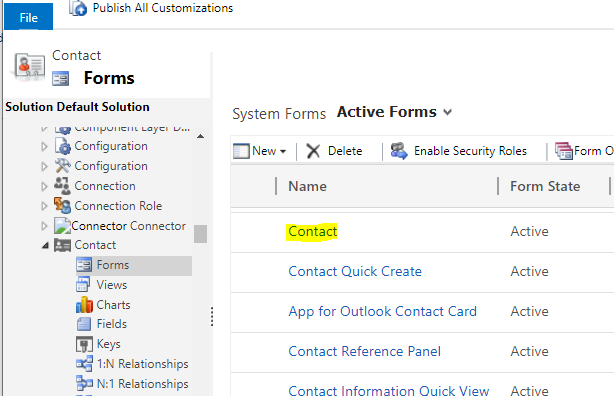
Open the form in Customizations:
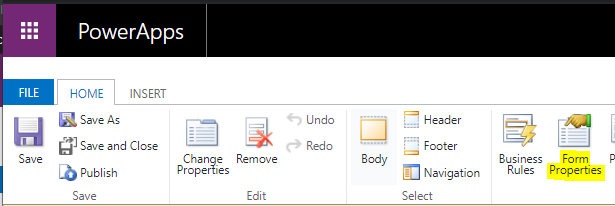
Go to Form Properties:
Uncheck Show Navigation Items:
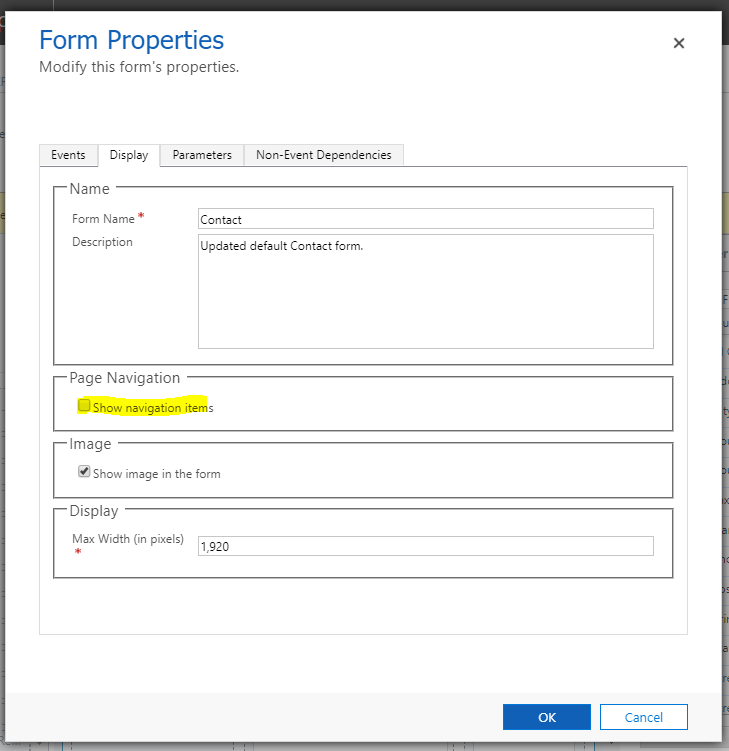
Save and Publish.
Now when we refresh the form, we see the Related tab is removed.

If you prefer to see it, check out my YouTube video on how to do this:
REMOVE RELATED TAB FROM DYNAMICS 365 UCI FORM