In this post, we will look at how to retrieve output parameters from custom actions in the Dynamics 365 and Power Apps from JavaScript.
Firstly, I blogged previously about how to run custom actions in Dynamics 365 / Power Apps using Xrm.WebApi.online.execute. It appears in some conditions, this functionality does not return output parameters from an action. Issues I have found specifically include using this with Unified Interface / UCI pages with the JavaScript on a non-HTML web resource.
Let’s go through an example to see how this works.
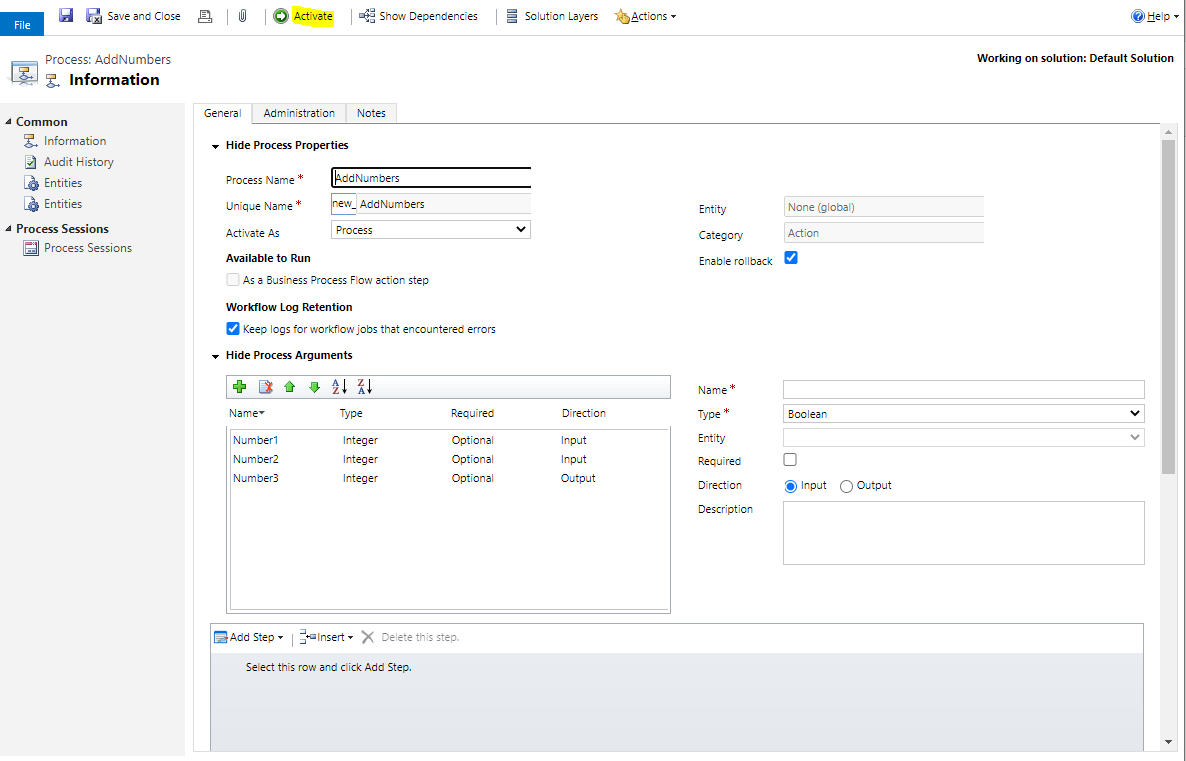
First, let’s create a new custom action in Dynamics 365 / Power Apps. Our action will add 2 numbers together and return the answer. We have 3 arguments:
Number1 – Input Integer
Number2 – Input Integer
Number3 – Output Integer
Save and activate the action.
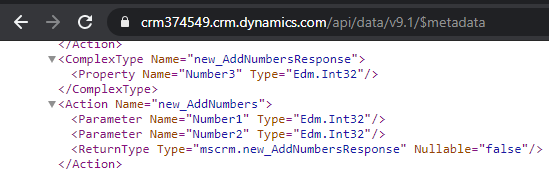
In the Web API, we can see the signature of this action created and the response we expect:
Next, let’s create a new custom action in Visual Studio.
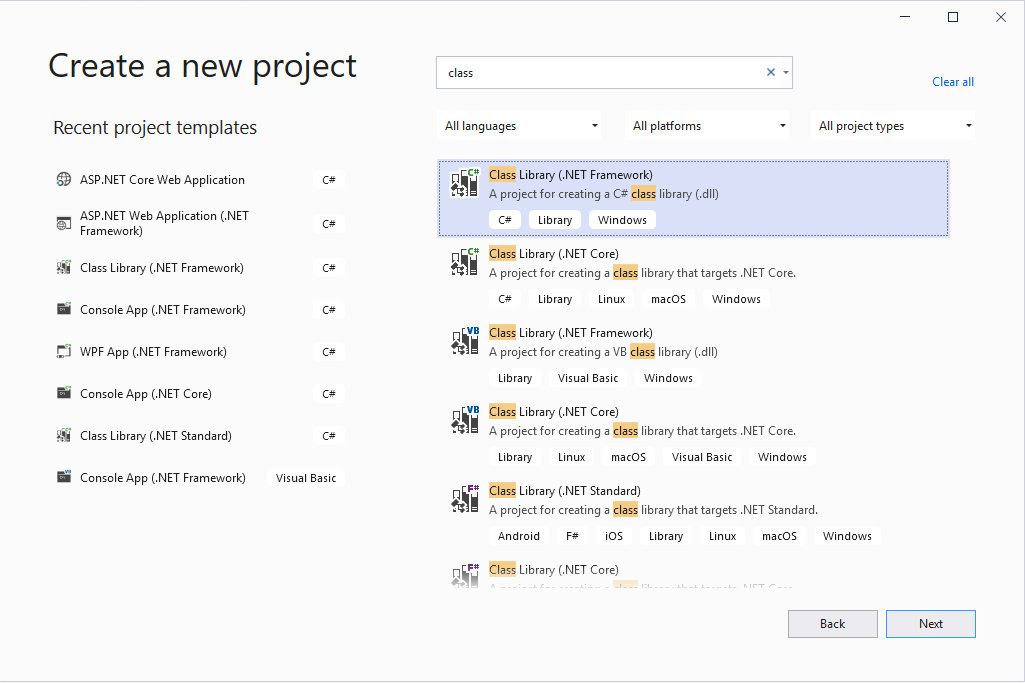
Create a new Class Library (.NET Framework):
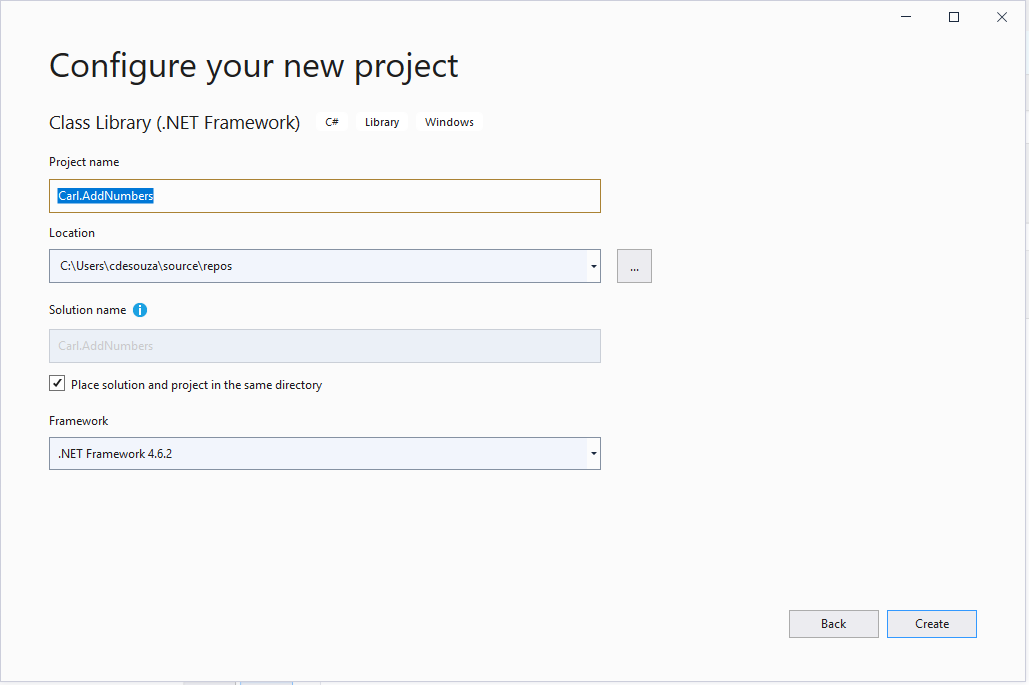
Give it a name, e.g. Carl.AddNumbers:
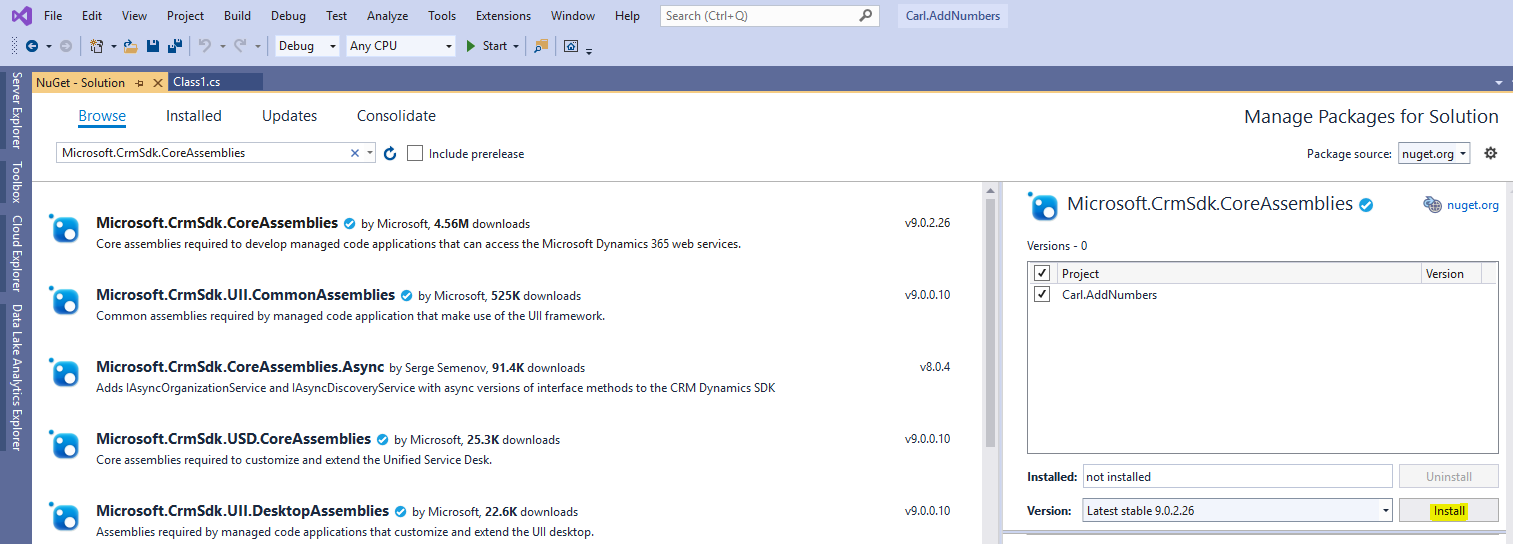
Add Microsoft.CrmSdk.CoreAssemblies through NuGet:
Now the code. Below we receiving Number1 and Number2 as InputParameters, and outputting Number3 as our added answer:
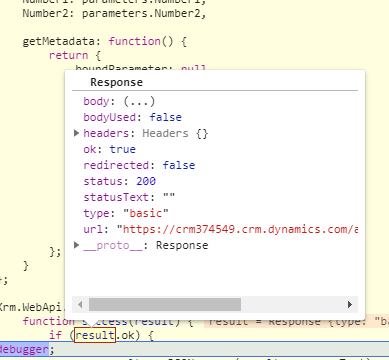
Running this in the browser debugger, our output looks like below without responseText returned:
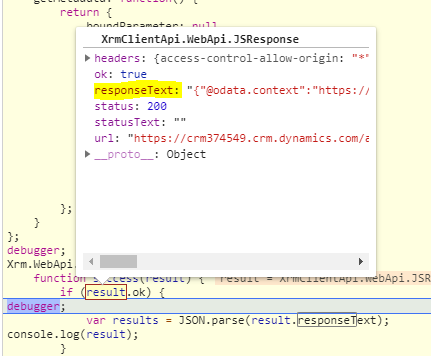
And running this from a web resource, we see we get responseText back:
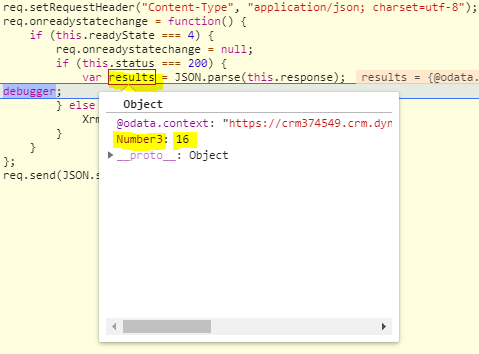
To clarify, we sent 7 and 9 and received 7+9 = 16:
Note – the web resource method takes a different code path through the platform, I’m not sure why the output would be different but if anyone has any insight please post in the comments.
The fix for this, is to use XMLHttpRequest instead of the Xrm.WebApi. The code:



ya,im here
Good a blog toper
The content is really great
I AM BACK AGAIN
That was amazing