
If you work with Dynamics 365 and the Power Platform, you have worked with the FetchXML Builder, an XrmToolbox plugin built by Microsoft MVP Jonas Rapp. Most people are aware of its functionality from its name, a powerful tool that generates FetchXML without the user having to actually know any FetchXML. However, as powerful as this feature is, there are several other capabilities of the tool that are super useful. Here’s a list of some of my favorites.
1. OData 4.0
Once your FetchXML query is built, you can generate OData 4.0 WebAPI. Click on View->OData 4.0 (WebAPI):
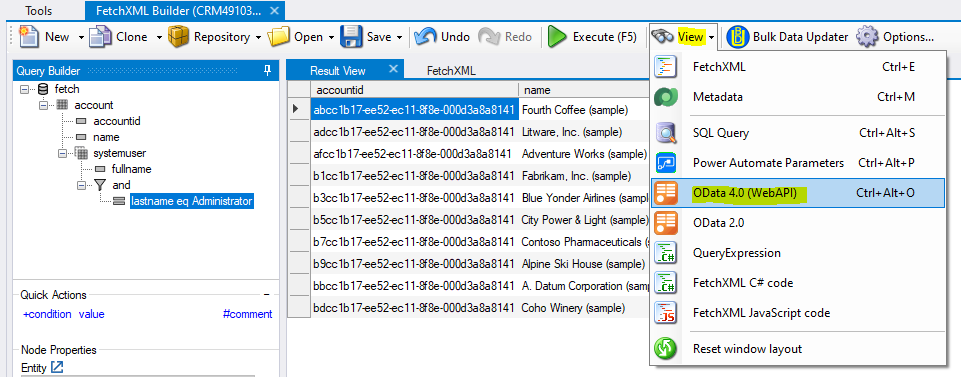
In the bottom of the screen, you will see the generated URL:

Opening the url in a browser will run the query and display the resulting data:

Use the OData query wherever you need to. Note, it can also generate OData 2.0
2. Power Automate Parameters
Let’s say you have a Power Automate flow that calls the List Records connector. FetchXML Builder will generate each of the fields you need to run the connector. From the Builder, click on View->Power Automate Parameters:
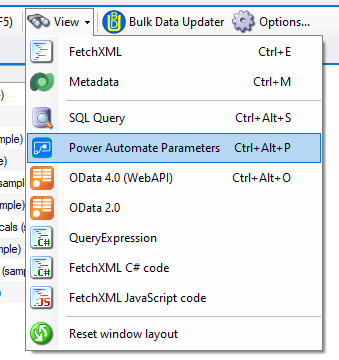
It displays a dialogue like below, with each of the fields:

Click on the Select hyperlink field. This will copy the value into the clipboard:
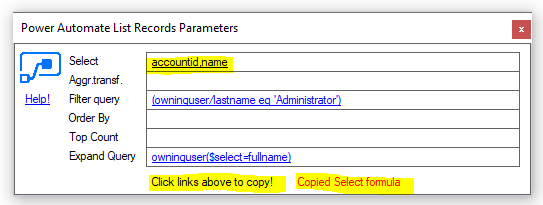
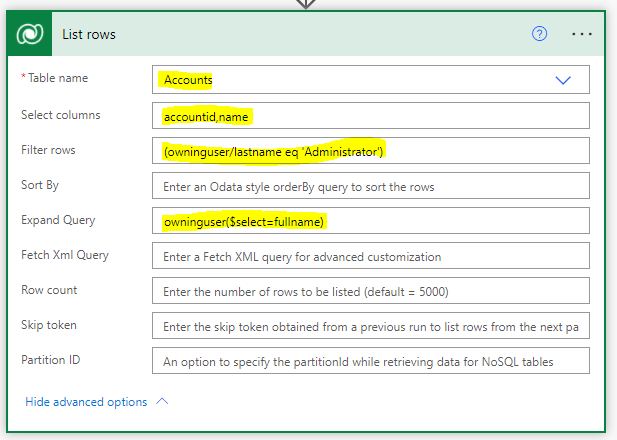
Copy this into the Power Automate List Rows connector, then repeat for each field:
Our flow runs successfully based on the query provided:

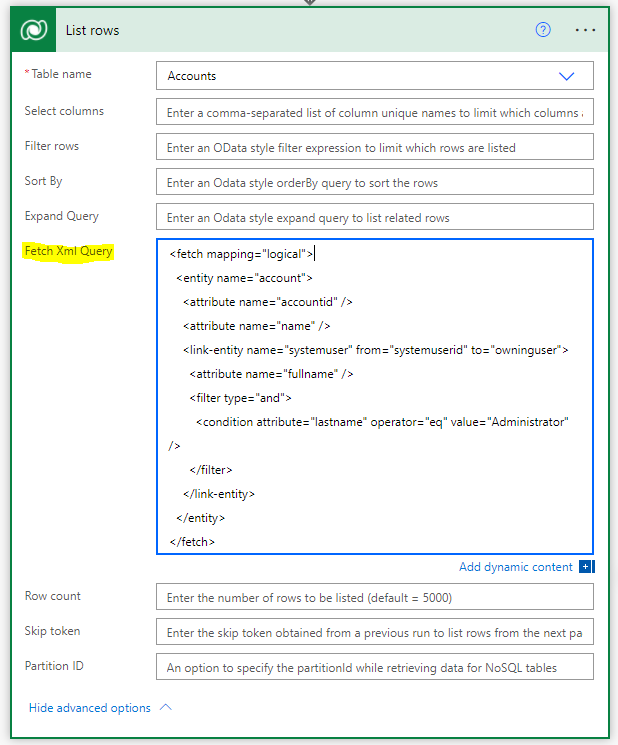
Of course, you can also paste the FetchXML right into the FetchXML Query field:
3. SQL Query
This is useful if you prefer or need a SQL query generated. Install the SQL 4 CDS plugin written by Mark Carrington for the XrmToolbox:

You can then generate your new SQL query based off your FetchXML query:
